If you want a smooth, memorable film evening, start with a clear movie night checklist. A good checklist keeps the mood high, the tech simple, and the snacks on point, so you can relax with your guests instead of fiddling with settings or running to the kitchen every ten minutes.
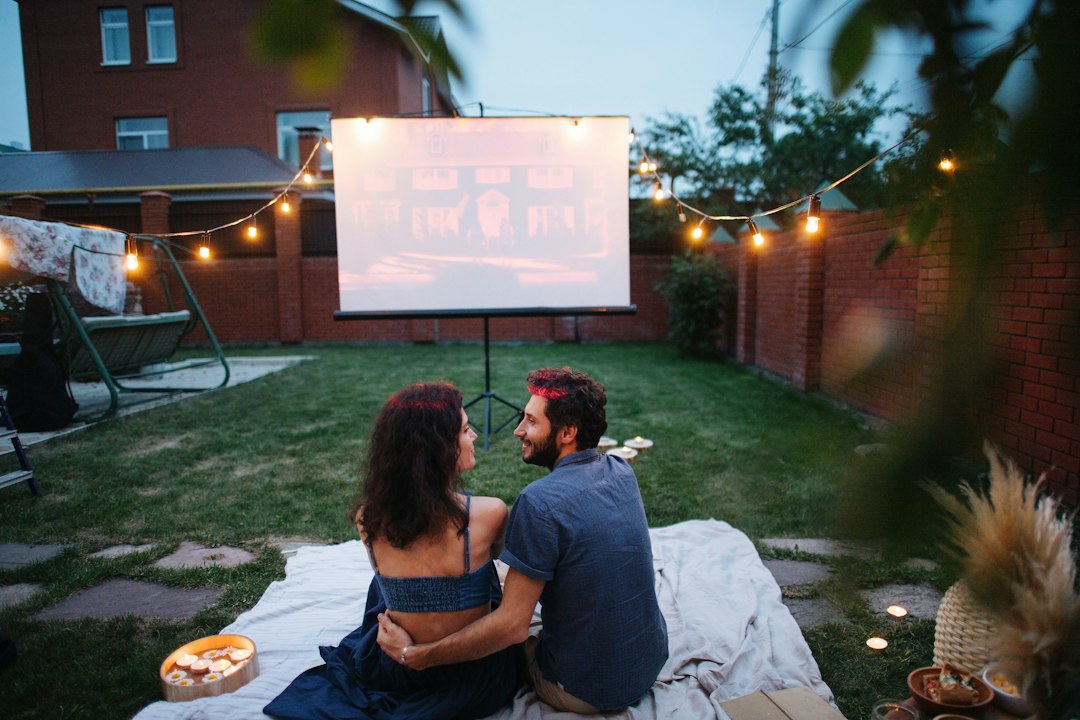
The complete movie night checklist
Use this master list as your quick overview before diving into details. You can print it, paste it into your phone’s notes, or turn it into a reusable template. The idea isn’t to do everything, but to decide what matters for this screening and skip the rest with confidence.
- Theme and audience: pick a genre, rating comfort level, and vibe
- Screen and sound: TV or projector, speakers or soundbar, volume etiquette
- Picture and audio tune-up: preset selection, brightness/contrast, dialog clarity
- Source: streaming, discs, or local files; test sign-ins and licenses
- Network: bandwidth check, Wi‑Fi placement, offline backup plan
- Seating and lighting: sight lines, throw blankets, dimmers, bias lighting
- Snacks and drinks: simple menu, serving logistics, safe surfaces
- Accessibility: captions, audio description, sensory-friendly options
- Age-specific notes: kids, teens, mixed groups, adults only
- Neighbor and roommate courtesy: quiet hours, bass control, end time
- Budget and upgrades: what to borrow, what to buy, what to skip
- Troubleshooting: quick fixes, backups, and a calm plan B
- Post‑credits: discussion prompts, photos, and shared playlists
Even if you only check five or six boxes, you’ll feel in control and your guests will notice the difference.
Theme, genre, and audience fit
Decide on a theme that matches your group and the tone you want. A theme is a shortcut for everything else: snack choices, decor, and even what time you start. If you’re hosting a cozy weekend wind‑down, consider comfort cinema like a classic rom‑com, an animated favorite, or a well-loved adventure. If you want energy and excitement, aim for a big-screen blockbuster feel with action or sci‑fi. If the room will be chatty and social, pick a film that tolerates conversation—comedies and cult favorites are perfect because they spark laughter and quotes.
Align the rating to the guests. For mixed-age groups, scout content advisors and read a no‑spoiler parental guide. If anyone is sensitive to jump scares, flashing lights, or heavy topics, note that ahead of time. Share a sentence with guests about tone: light fun, quiet drama, or intense thriller. Clarity reduces awkward mid-film debates and lets everyone opt-in comfortably.
Choose a start time that respects your crowd. Families often prefer earlier starts so kids can wind down before bedtime. College friends may be fine starting late. Plan intermission if the film is long: five minutes for refills and a quick stretch keeps energy up. Finally, keep the invitation simple: title, start time, runtime, and any optional theme details (color outfits, a quote to bring, or a snack idea). The less friction, the better your turnout.
Screen, sound, and room layout
You don’t need a dedicated theater to deliver cinematic comfort. Most great movie nights come from thoughtful setup, not expensive gear. Start with the screen you already have. A modern TV is usually the simplest option: good brightness for lights‑on rooms, reliable motion handling, and minimal setup. If you have a projector, plan for light control and a stable surface or ceiling mount. Measure throw distance to fill your screen without keystone distortion. Bring the lens to the right height; even a stack of sturdy books under a portable projector can help.
For audio, a decent soundbar or a pair of bookshelf speakers can transform dialog clarity. Place speakers near ear level and angle them slightly toward the center seats. If you have a subwoofer, keep bass tasteful; strong bass may travel through walls and floors. Aim for even sound across seats rather than maximum volume. If your remote supports a “night mode” or “dialog enhancement,” try it—many guests value intelligible speech over chest‑thumping effects.
Arrange seating so everyone can see the screen without neck strain. If you’re improvising, beanbags, floor cushions, and pillows can create extra rows. Keep walkways clear for snack runs. Consider small side tables or trays for drinks. If your TV is on a stand, double‑check it’s stable and not within reach of energetic pets or toddlers.
Quick picture and audio tuning
Picture tuning is the easiest win. Set the TV to a cinema or movie preset; these modes are usually designed for accurate color and calmer brightness. If your screen looks blown out in a dark room, lower backlight/brightness a notch or two. For projectors, make sure the image is in sharp focus from center to corners; tiny adjustments matter. Disable “vivid” modes that push neon colors and sharpness halos—they fatigue eyes and flatten detail.
Contrast controls the punch between light and dark. Bring up a black‑level test clip or use a dark scene from a film you know. You want deep blacks without crushing shadow detail. Many TVs hide useful options under “advanced” menus; resist the urge to tweak every slider. Two or three adjustments are usually enough to get a pleasing picture.
For audio, start with dialog. If voices sound muffled, try a “speech” or “clear voice” mode. Nudge the center channel if you have surround sound. If you’re using a soundbar, experiment with small volume trims between left and right to center voices to the seating area. Avoid chasing perfection mid‑screening; make small changes before guests arrive, then lock it in. The best setting is the one that you don’t think about during the film.
Streaming, discs, and local files
Pick a source that you can test a day early. Streaming is convenient, but logins expire and apps update. Open the app, sign in, and add the film to your list. Preload the title so the app caches artwork and knows your location. If the film requires a rental or purchase, complete that step in advance. For discs, test the player and check for scratches. For local files, verify the codec plays on your device; a short test clip saves embarrassment later.
Keep a minimal remote workflow. If you’ll switch between an Apple TV, Roku, or console, label HDMI inputs in your TV settings and on your remotes. Consider a universal remote or a simple cheat sheet taped near the couch: “Input 1 = Blu‑ray, Input 2 = Streaming Stick.” That tiny reference may save five minutes of menu wandering while your popcorn cools.
Mind the “are you still watching” prompts and auto‑play previews that blast sound. Many apps let you turn previews off in settings. If you’re hosting a marathon, add each title to a watchlist in order. Plan trailer time before the main feature only if your guests enjoy that ritual; otherwise, skip straight to the studio logo and start the magic.
Network stability and offline backup
Streaming relies on bandwidth and steady Wi‑Fi. Run a quick speed test at the viewing seat. If the number wobbles wildly, reboot your router before guests arrive. Move the streaming device closer to your router if possible, or use an Ethernet cable for the most stable connection. If your router has dual bands, connect your movie device to the less crowded one and ask roommates to use the other band during the show.
Silence background bandwidth hogs. Cloud backups, game downloads, and video calls compete with your stream. Pause or schedule them after the event. On many devices you can enable a “metered” connection to limit background updates in the moment. If you’re hosting outdoors or in a room with weak Wi‑Fi, consider a Wi‑Fi extender or personal hotspot as a temporary bridge—but test it fully with your streaming app and resolution.
Have a backup ready. Download the film for offline viewing if your service allows it, or have a disc copy on hand. A short intermission while you swap sources is far better than a night lost to buffering. Put the backup remote in the same basket as your main remote so you aren’t rummaging in a drawer when the room gets restless.
Seating, lighting, and ambience
The right ambience makes even an ordinary screen feel special. Layer seating: couch in the middle, chairs off to the sides angled inward, and floor cushions up front. Offer a mix of firm and soft spots so each person can find comfort. Place throw blankets where the AC draft hits. If you have a balcony or backyard screening, supply a few extra layers for the late‑night chill.
Control light for mood and visibility. Switch harsh overhead bulbs for lamps, string lights, or smart bulbs dimmed to a warm temperature around 2700K. Bias lighting behind the TV reduces eye strain; even a low-cost LED strip can make a big difference. Keep paths to the kitchen and bathroom lit enough to avoid stumbles. If you use candles, set them where they can’t get knocked over and never near cables or fabrics.
Add a few thematic touches. A small marquee letter board with the film title by the door, a stack of vintage postcards, or coasters that match your theme signal care without turning the living room into a set. Keep surfaces clear near the screen so reflections don’t distract. A tidy room is the cheapest upgrade you can make.
Snacks, drinks, and cleanup
Snacks are morale. Aim for simple, self‑serve, and low‑mess. A classic mix: popcorn (salted and one flavor option), a crunchy bowl (pretzels or chips), something fresh (grapes or cut fruit), and a small sweet (chocolate bites). For drinks, set out water, one soda choice, and one fun option like sparkling lemonade or a signature mocktail. If you’re serving alcohol, keep it light and pair it with plenty of water.
Stage the snack zone away from the screen to reduce mid‑film traffic in front of the picture. Use trays or a coffee table runner to contain crumbs. If you have carpet, add a washable throw or picnic blanket under the main snack area. In small spaces, pre‑fill cups or paper cones with popcorn to avoid constant scooping and the inevitable spill.
Cleanup is easier if it begins during setup. Place a small trash can and a recycling bin where people can see them. Keep a roll of paper towels and a gentle surface cleaner under the coffee table. After the credits, a low‑key invite—“Let’s take two minutes to reset the room”—gets everyone moving without feeling like a chore.
Accessibility and inclusion for every guest
Inclusive hosting helps everyone relax. Turn on captions by default unless a guest prefers them off. Captions help with accents, quiet mixes, and noisy scenes, and they support guests who are hard of hearing or who like to follow along. If your platform supports audio description, let guests know it’s available. Keep volume balanced so dialog stays clear without blasting effects.
Consider sensory comfort. Avoid strobe‑heavy content for guests sensitive to flashing images. If your feature includes intense scenes, a brief content note in the invite is thoughtful. Provide a quieter seating zone—slightly off‑axis or farther back—for anyone who wants a calmer experience. Scented candles can be overwhelming; choose unscented or light them well before guests arrive and blow them out once the room fills.
Plan for mobility and reach. Clear cables from walkways and anchor power strips. If anyone uses mobility aids, reserve space with a clear sightline. Place snacks and remotes at accessible heights. Small adjustments like these make a big difference and signal that your movie night welcomes everyone.
Age-specific hosting notes
For kids, keep the runtime under two hours and favor bright, upbeat titles. Start early, add a brief intermission, and set out low‑mess snacks. Consider a craft table before showtime (coloring pages tied to the film) to burn energy. Keep lighting warmer and brighter than you would for adults to avoid sleepy meltdowns. For sleepovers, let kids vote on a favorite short before the main feature to build shared excitement.
For teens, respect independence. Offer a couple of title options ahead of time and let them pick; buy‑in improves the vibe. Sound can be louder, but keep bass reasonable if you have close neighbors. Provide hearty snacks like pizza squares or sliders, and designate a selfie corner with a simple backdrop—it gives them a space to be social without constantly interrupting the film.
For adults‑only nights, consider denser films, documentaries, or foreign cinema. Serve a minimal but elevated spread—popcorn with a gourmet seasoning, a small cheese board, and sparkling water with citrus. A short discussion afterward pairs well with thoughtful films. Clarify the expected end time so everyone can plan rides or childcare pickups smoothly.
Neighbor and roommate courtesy
Great hosts mind the building as well as the living room. Share the plan with roommates: start/end times, expected volume, and where guests will sit. If possible, invite them to join or offer a headset for their own plans. For apartments, keep the subwoofer low and pull the couch a few inches off the back wall to reduce bass transfer. Close windows if late-night laughter might carry.
Post a small sign by your door: “Movie night in progress—text for entry.” It prevents the doorbell from startling the room. Give neighbors a friendly heads‑up if you’re planning a backyard screening. A quick message with start and end times and a promise to keep volume reasonable goes a long way. A little goodwill today buys you a lot of flexibility for the next gathering.
Budget and upgrade roadmap
Spend where it matters most for your space. If you have a bright living room and watch with some lights on, a better TV is usually a smarter upgrade than a projector. If you already like your screen, invest in sound first; a clear soundbar or a pair of used bookshelf speakers can be transformative. Skip fancy cables; certified, reasonably priced HDMI works as well as premium branding for most setups.
Borrow what you can: folding chairs, a portable screen, or extra blankets. Thrift stores often have small side tables or lamps that improve ambience on the cheap. If you want to expand gradually, follow a simple ladder: (1) soundbar, (2) streaming device with good app support, (3) bias lighting, (4) blackout curtains, (5) subwoofer adjusted politely, (6) larger display or higher‑gain screen if you use a projector.
Keep long‑term costs low by building reusable kits: a labeled bin with extension cords, gaffer tape (gentle on paint), spare batteries, and cable ties; a snack caddy with two bowls, a scoop, and napkins; and a “hosts only” note in your phone with Wi‑Fi credentials and app logins. Preparation beats impulse buying every time.
Troubleshooting quick fixes
When something goes sideways, a calm script helps. If the picture is too dark, raise the backlight/brightness or add a little ambient lamp behind the TV rather than cranking contrast. If motion looks smeary, turn off motion‑smoothing and support the frame rate the app provides. If the audio lags behind the video, check your soundbar’s lip‑sync setting or set your TV to “PCM” output temporarily.
If streaming stutters, drop resolution one notch or switch to a downloaded file. Reboot the app or device in this order: app, streaming stick, router. If a remote goes missing, use the platform’s phone app as an emergency control. Keep a spare HDMI cable in your kit to rule out a flaky connection.
For unexpected interruptions—an app sign‑out, a crash, or a power blink—announce a two‑minute intermission, put on some music, and work the plan. Guests are happy to wait when they understand what’s happening and can stretch their legs. Your calm presence is the best tool you have.
What to do after the credits
Post‑credits is where community sticks. Cue up a gentle playlist that matches the film’s mood and invite a short chat: “Favorite scene?” “A line that will stick with you?” “Who would you cast differently?” If the film had heavy themes, you might offer one thoughtful question and then steer toward comfort topics. Keep the tone optional; some guests love discussion, others prefer to linger quietly with music and snacks.
Snap a few photos of the setup before guests arrive and share them afterward with a thank‑you note. If you post a recap on your site or socials, tag the film’s official account and your friends (with consent). Consider building a shared list of future picks so momentum carries into next time. A recurring series—first Fridays, last Sundays—turns a good idea into a tradition.
Looking for more ideas on film culture and home viewing? Browse the Movie Entertainment hub at albertiniarts.com for inspiration, seasonal picks, and planning guides.
Templates you can reuse every month
Turn tonight’s plan into a routine that saves future you time and energy. Create a template message with the event basics: film, date, start/end, rating, and caption preference. Save a universal packing list if you ever host elsewhere (extension cord, power strip, HDMI, portable speaker, two blankets, wipes). Keep a recurring calendar reminder two days before each event to test your streaming app, charge remotes, and pick up snacks.
Build a simple rotation: one month you host, next month a friend hosts, and the following month you experiment (backyard, projector at a community space, or a themed double feature). Shared hosting spreads cost and keeps the idea fresh. Borrow gear as needed and return it promptly with a thank‑you treat.
Finally, write your own mini version of this manual: what worked, what you’d change, and what you want to try next time. Over a few gatherings, your movie night will feel effortless because you’ve made decisions once and codified them. That is the hidden power of a good checklist: it turns great intentions into reliable traditions you look forward to all month.